UX DESIGN
Designing a Guided PC Configuration Experience
ROLE
Lead UX/UI Designer
duration
3 Months
TEAM
Developers, Product Managers, Stakeholders


Objective
How might we help users confidently build a compatible custom PC without overwhelming them with technical complexity?
Problem
Building a PC is complex and intimidating
Users
First-time builders and PC enthusiasts
Goal
Simplify component selection and improve purchase confidence
My Role
UX Strategy, User Flows, UI Design, Developer Collaboration
Outcome
Improved configuration experience and purchasing workflow
The Challenge
Canada Computers sells thousands of PC components, but building a complete system requires users to understand:
Component compatibility
Technical specifications
Installation requirements
Performance tradeoffs
Many users leave to do research elsewhere before purchasing.
Ecosystem Diagram
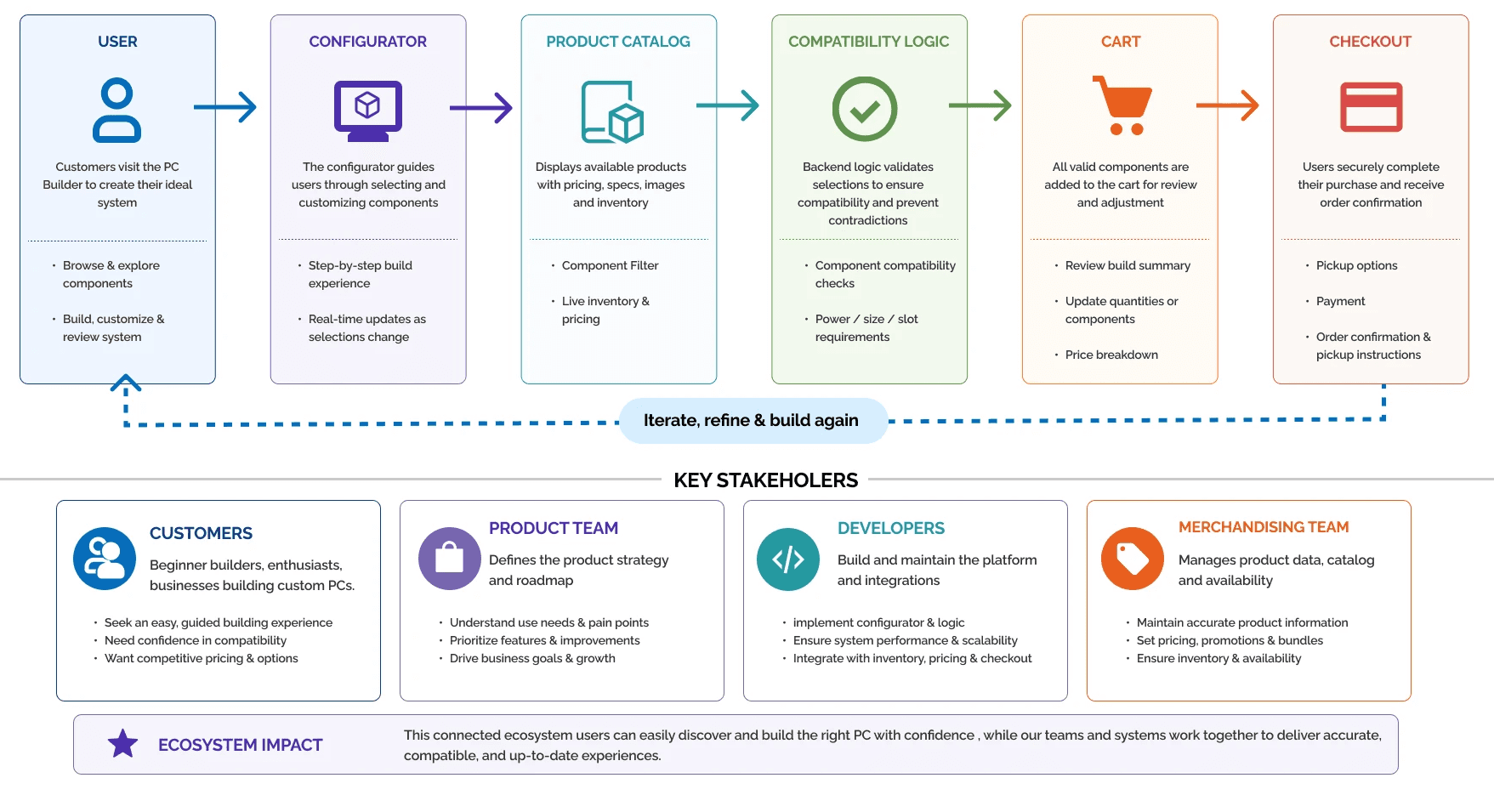
PC BUILDER ECOSYSTEM
An overview of how the PC Builder connects users, data, systems, and teams to deliver a seamless configuration and purchase experience.
Design Principles
Simplify Complex Decisions
Present information progressively to reduce overwhelm and support confident decision-making.
Enable Product Discovery
Allow users to browse and compare products without disrupting the build process.
Prevent Contradictions
Design around backend compatibility rules to ensure only valid system configurations can be created.
Support Scalability
Create a flexible framework capable of supporting future enhancements and evolving business requirements.
The Process
User Flows
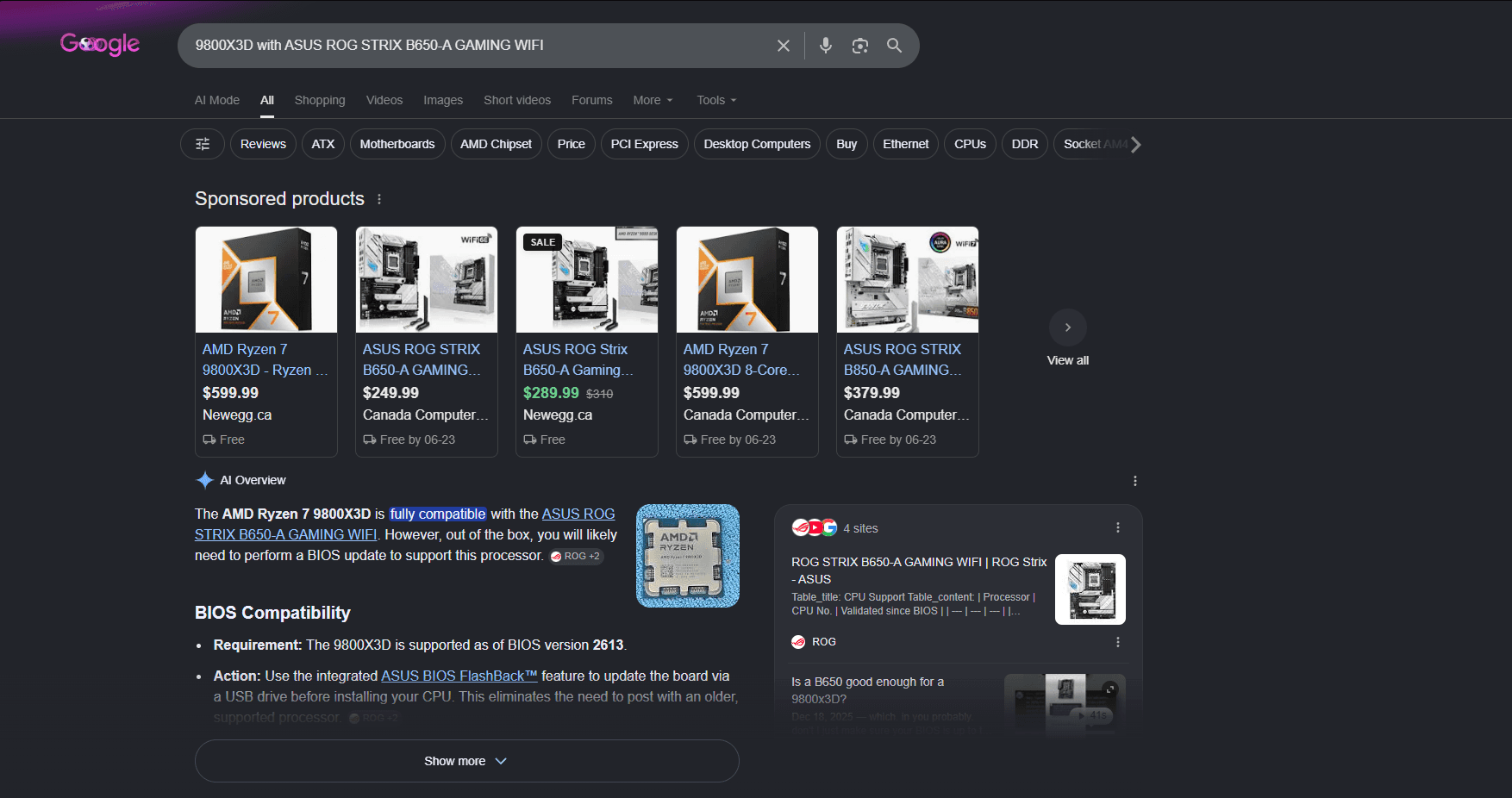
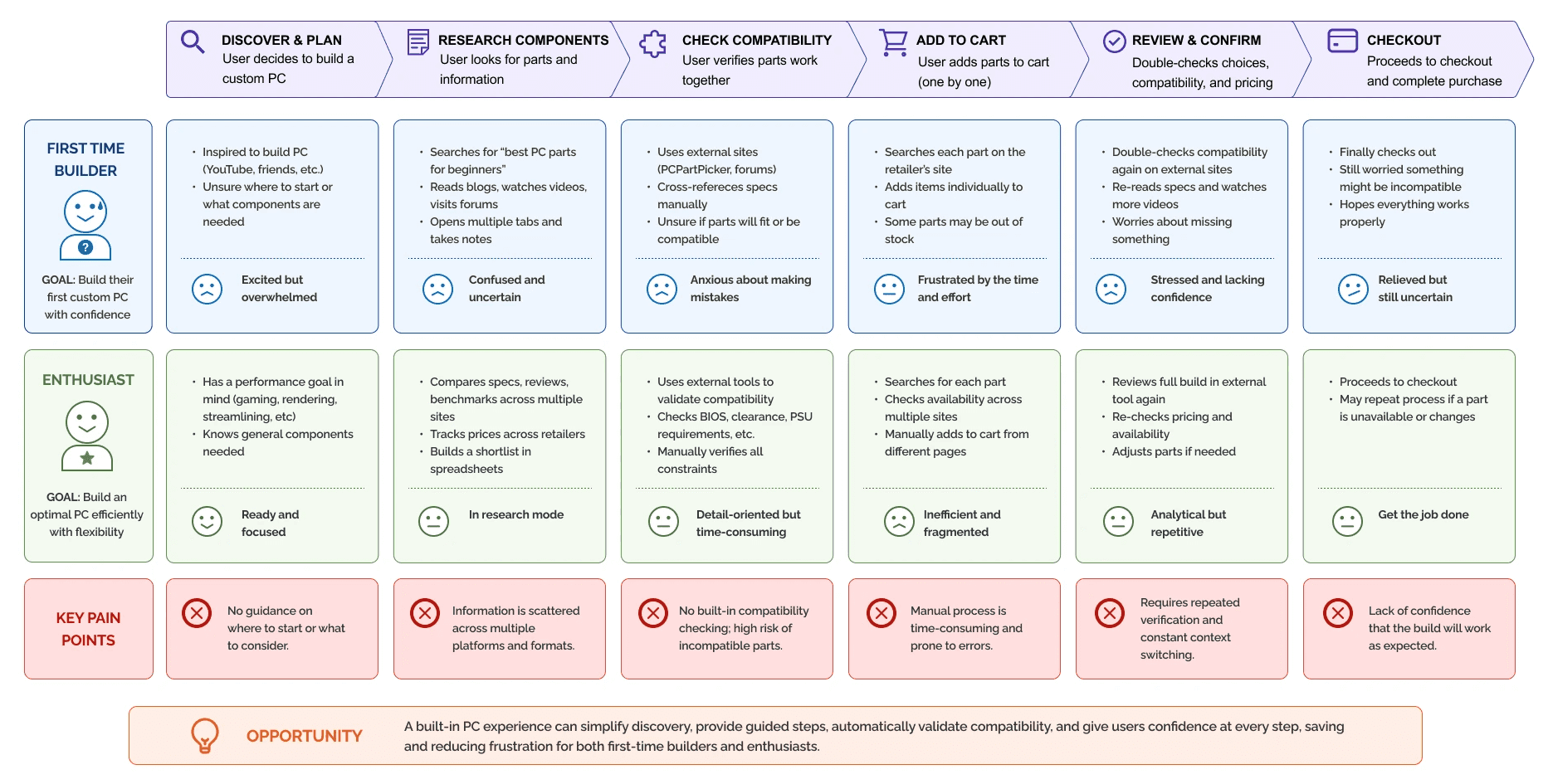
PC BUILDER USER JOURNEY (BEFORE PC BUILDER EXISTED)
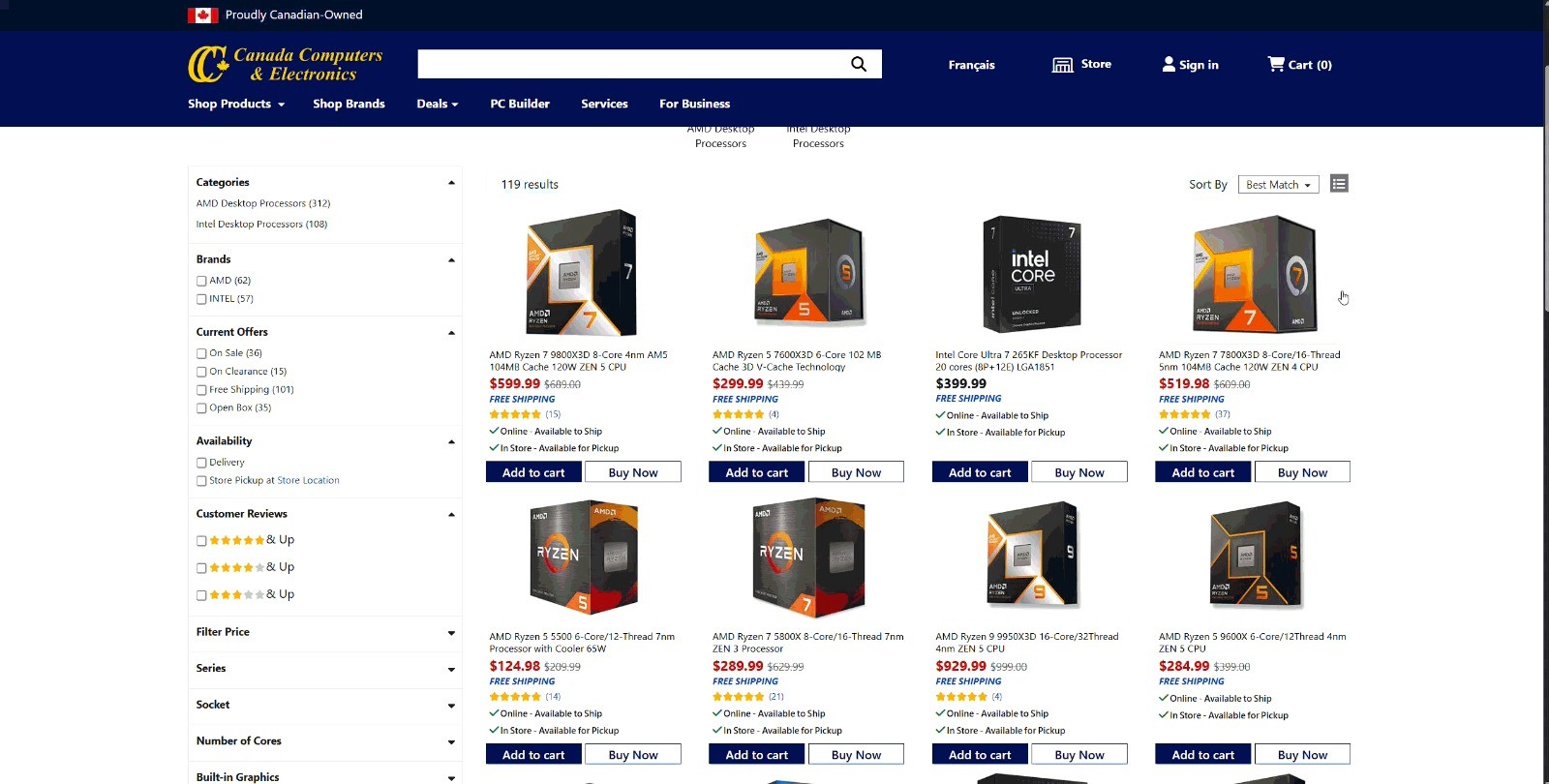
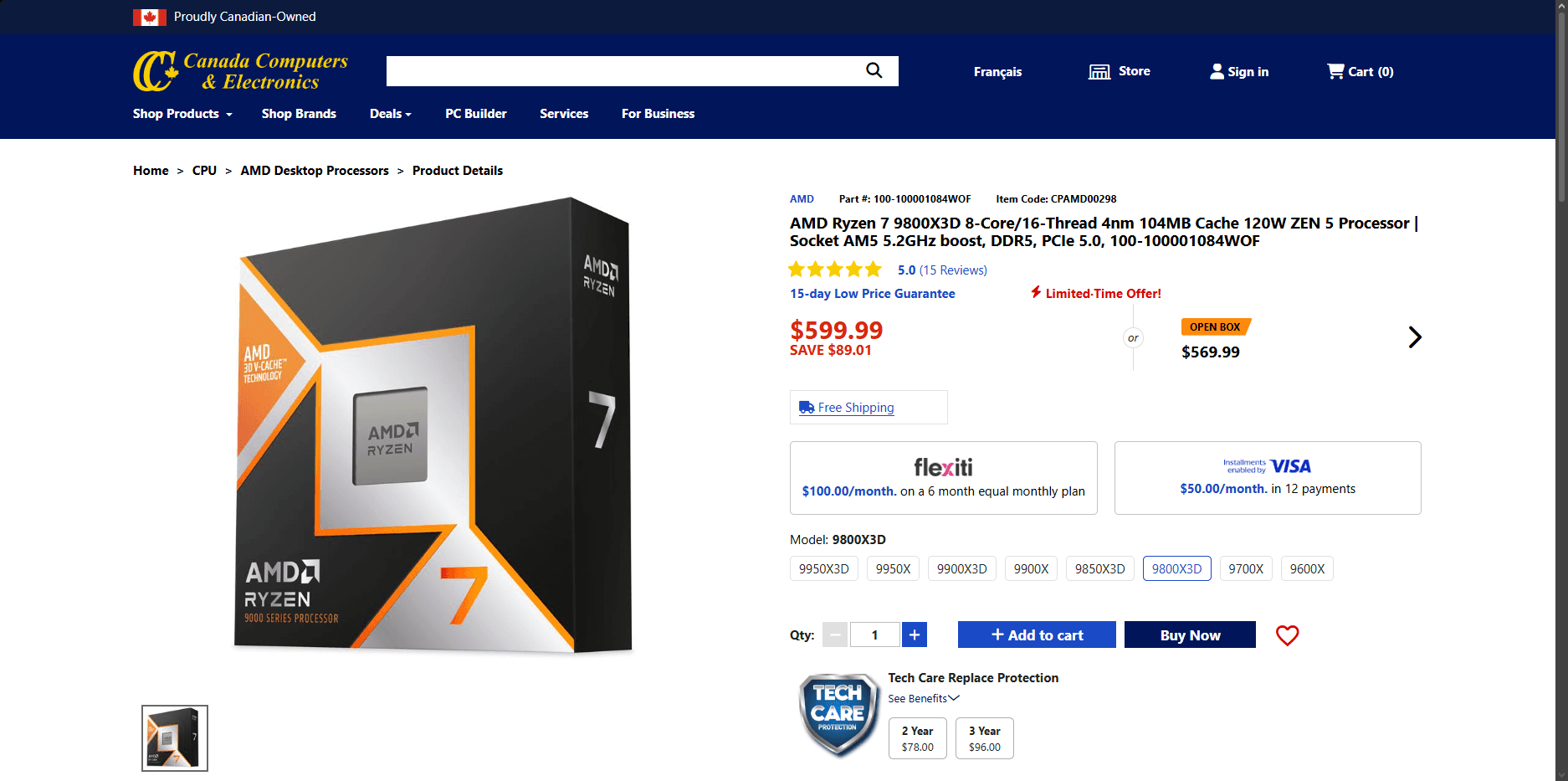
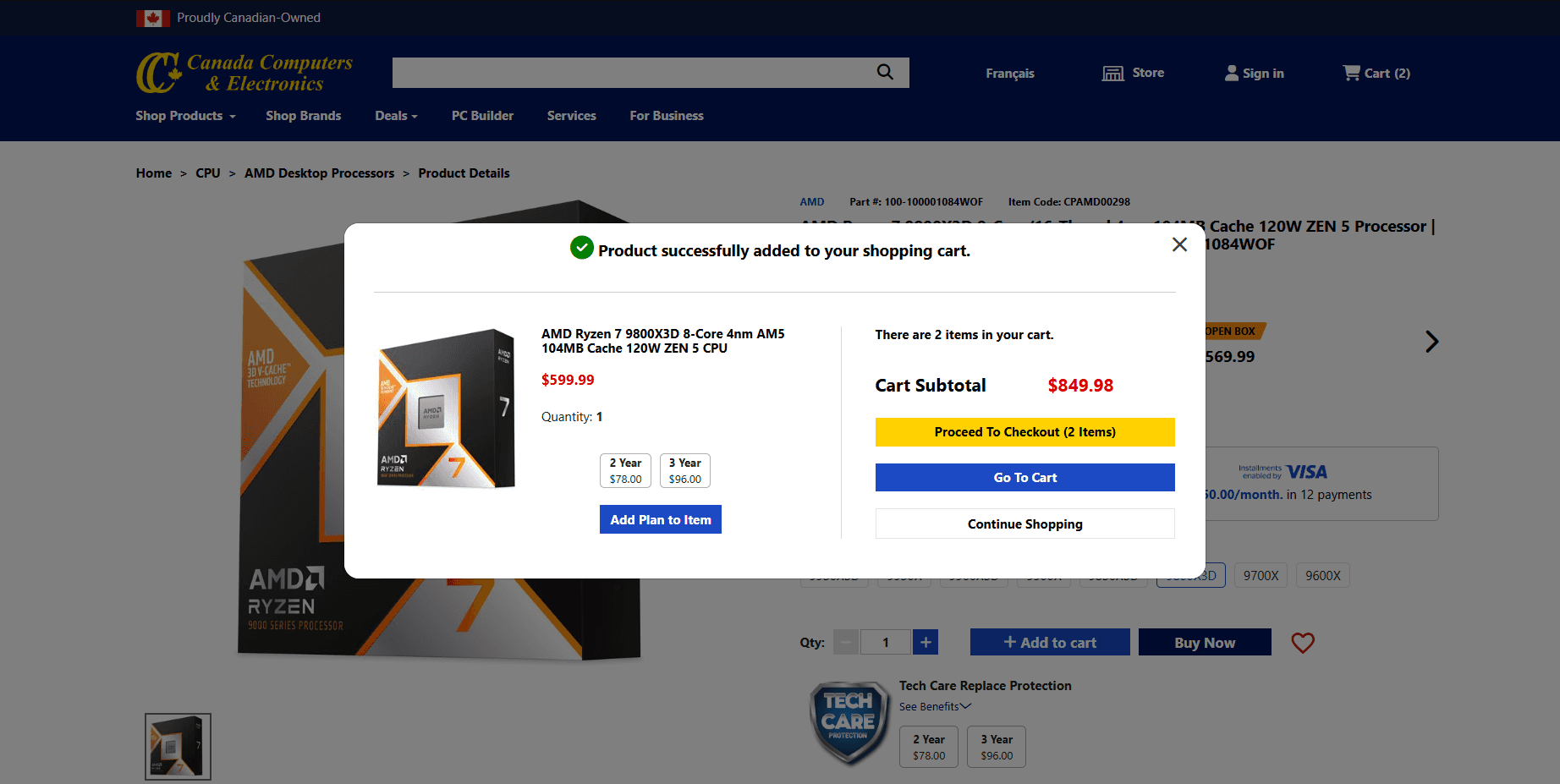
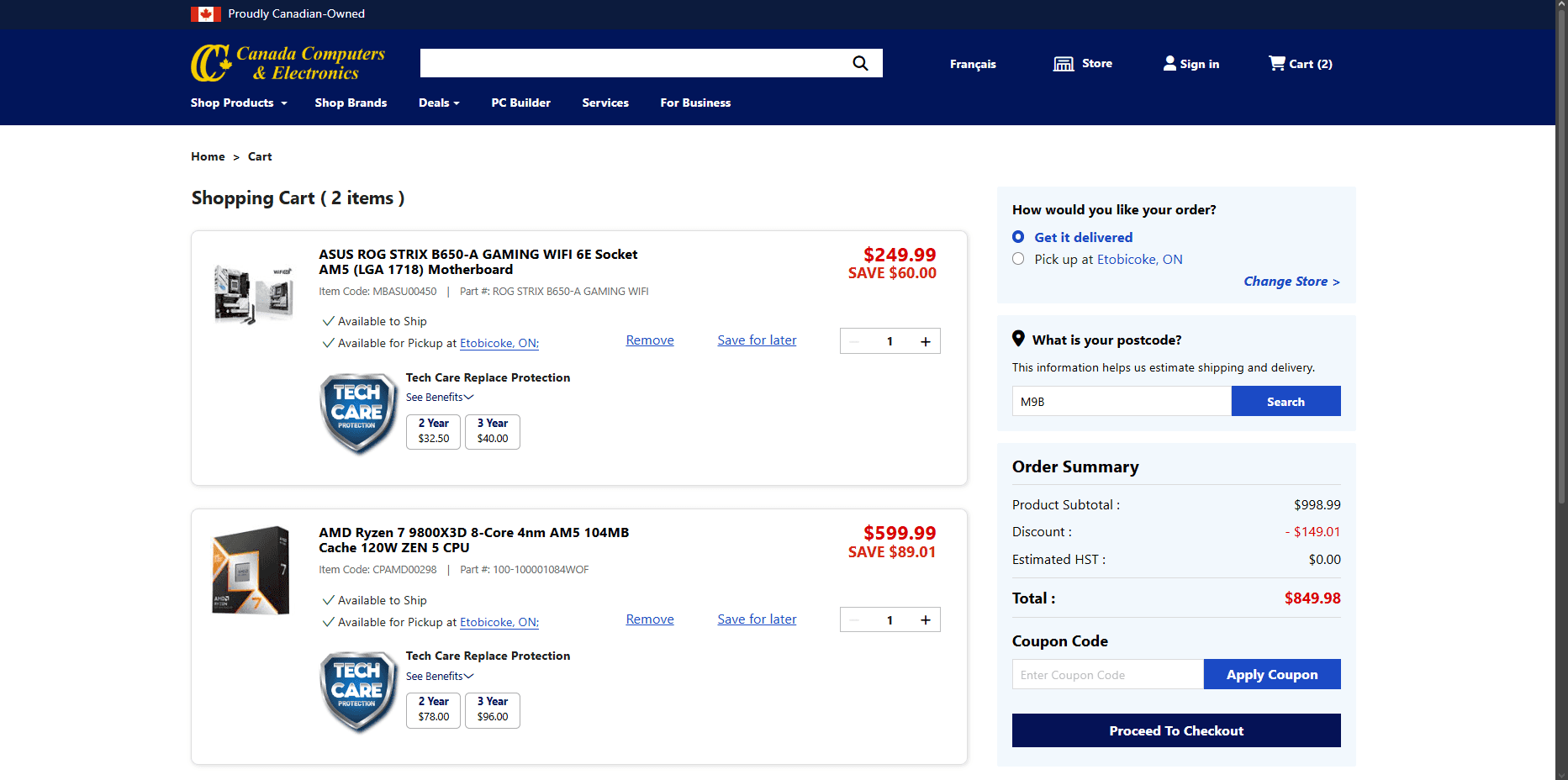
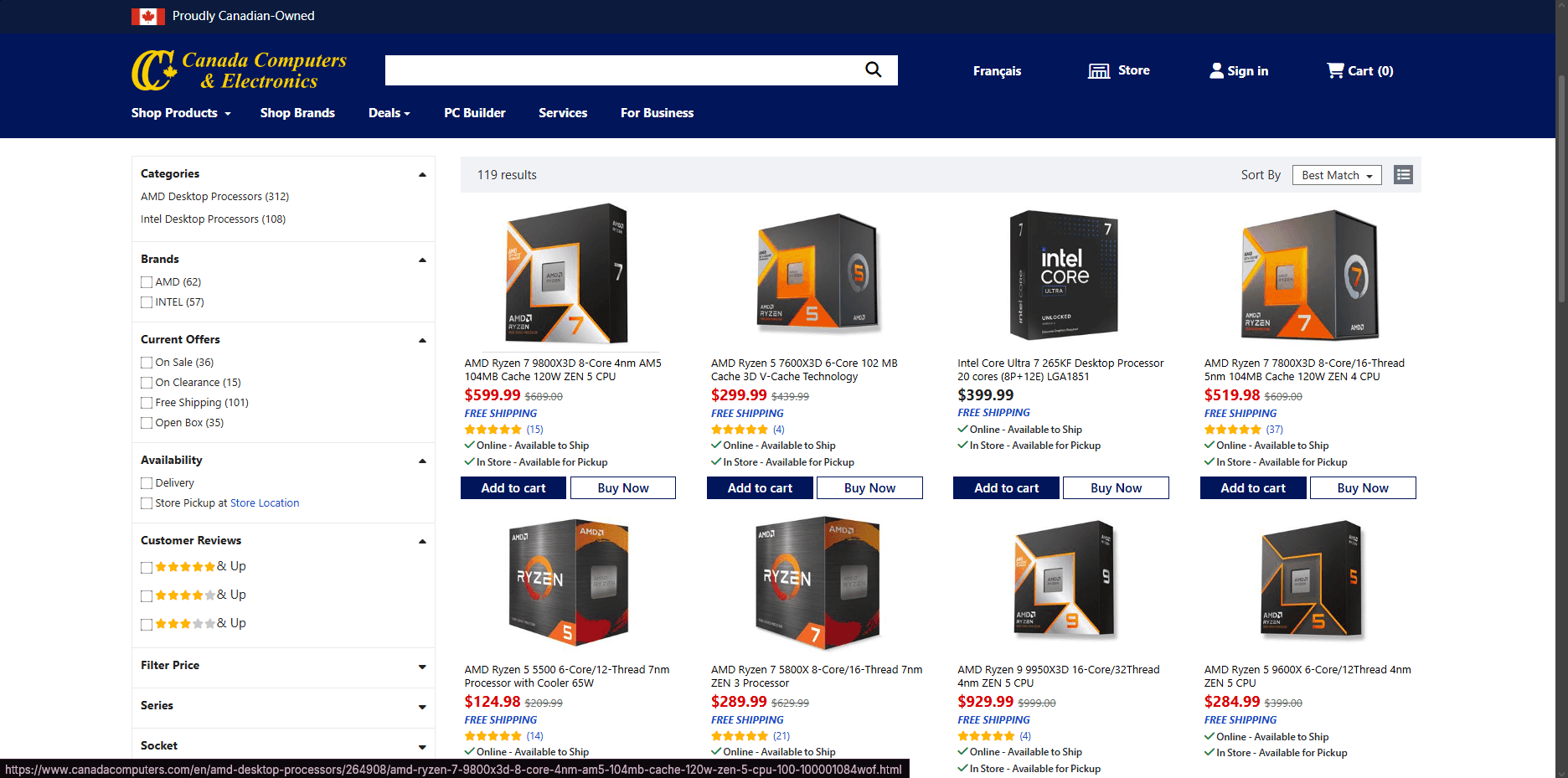
Before the PC Builder was added to our website, users had to rely on external platforms, manual research, and an trial-and-error method to ensure compatibility while building a custom PC.
Information Architecture
The configurator's information architecture is structured around component dependencies. By guiding users through selections in a logical sequence, the system can dynamically filter compatible options, reduce cognitive load, and prevent invalid configurations.
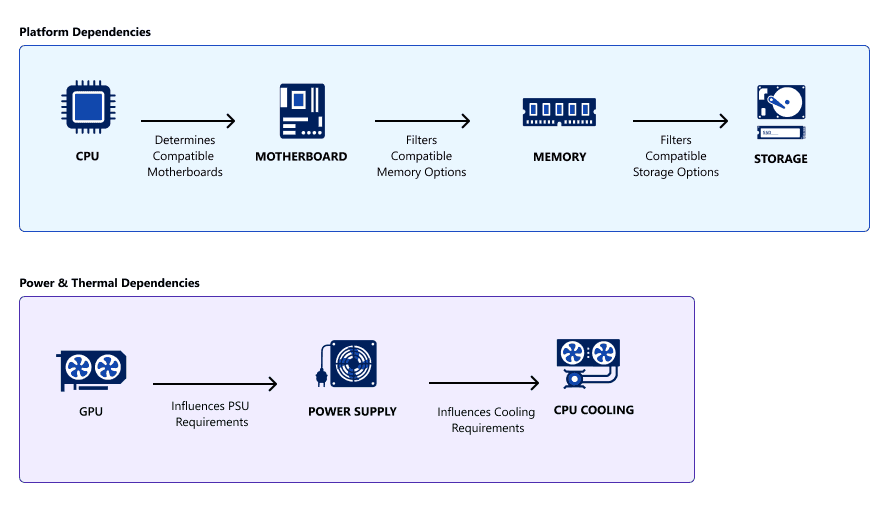
Design Rationale
Reduce decision complexity
Surface only relevant options
Prevent incompatible builds
Support backend compatibility validation
Improve confidence throughout the configuration process
Wireframes
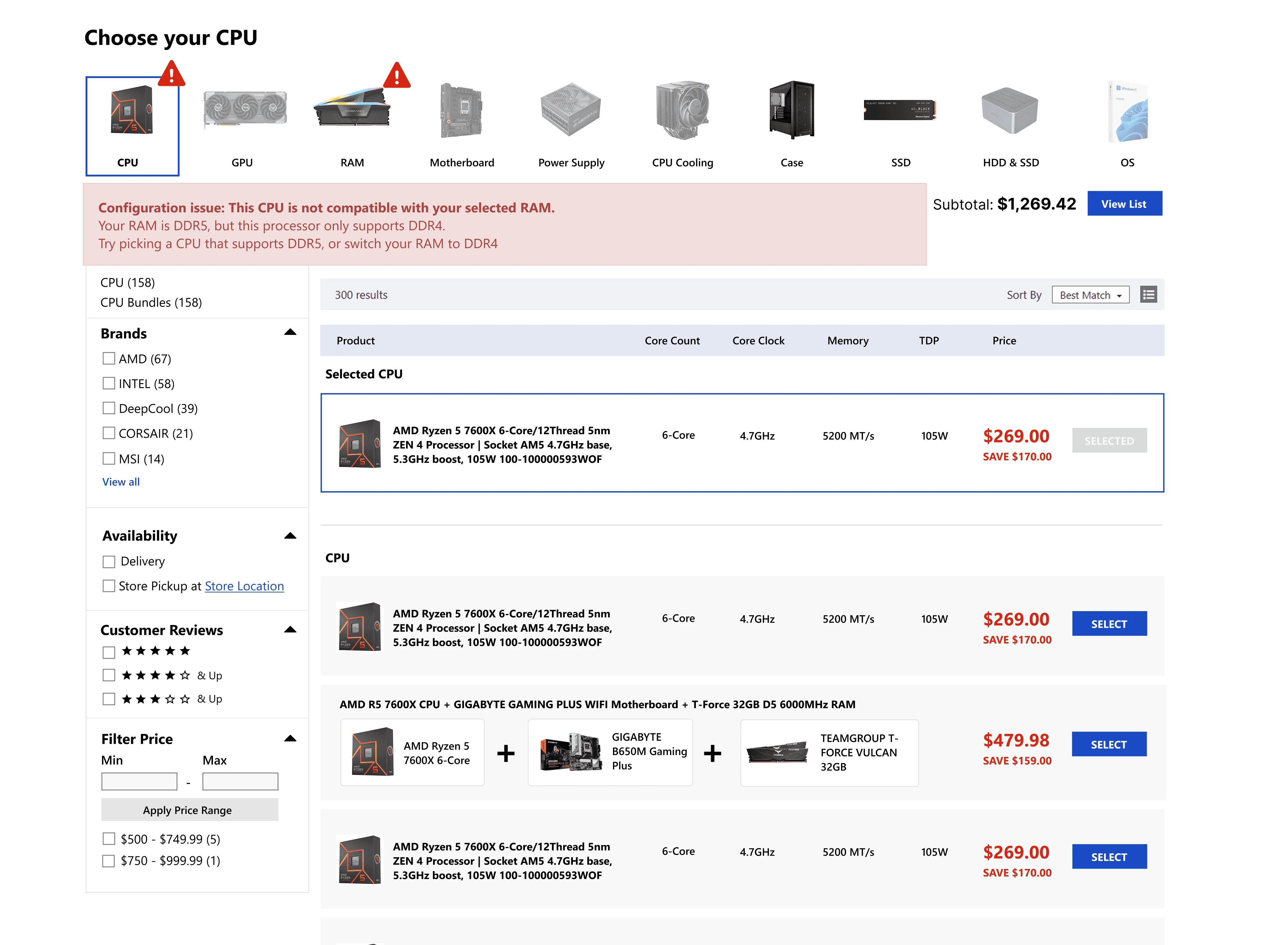
Initial Exploration: Open Configuration Flow
The earliest iteration allowed users to freely select components in any order. When incompatible parts were chosen, the configurator displayed error messages explaining why the selected components could not work together.
While this approach provided maximum flexibility, it frequently surfaced compatibility warnings throughout the build process. As users continued adding components, the growing number of error states created additional cognitive load and made it difficult to understand how selections impacted the overall system.
Iteration: Guided Compatibility Flow
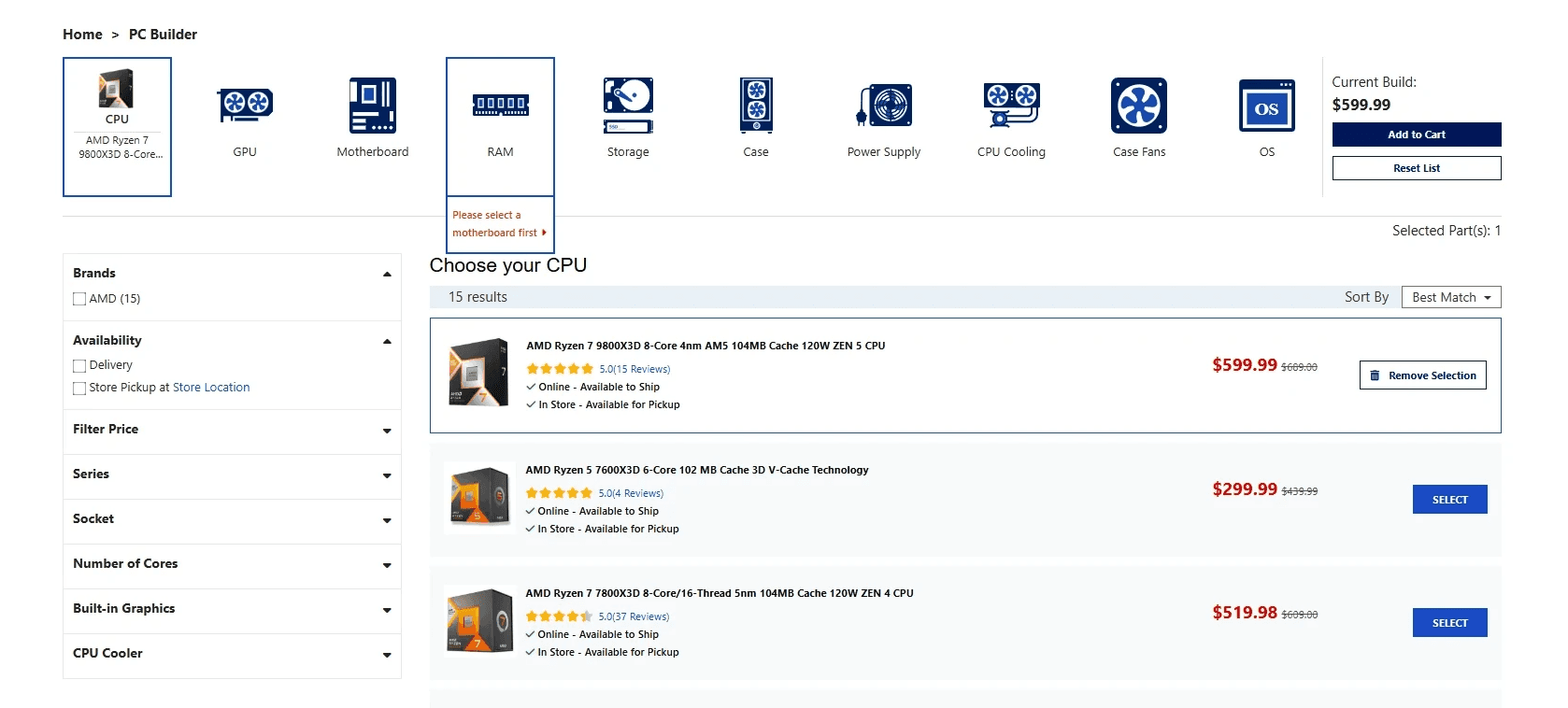
To reduce the number of compatibility conflicts presented to users, the configurator was redesigned to dynamically filter available products based on previous selections. Rather than asking users to resolve conflicts manually, the system proactively surfaced only compatible options.
This approach transformed compatibility from a reactive error-handling experience into a guided configuration experience, helping users build with greater confidence while reducing decision complexity.
Key Design Decisions
Guided Component Selection
The configuration flow was intentionally structured around component dependencies. Certain categories were unlocked only after prerequisite selections were made, allowing the system to proactively prevent incompatible configurations rather than relying on error messages after the fact.
Why it mattered
Reduced cognitive load and aligned the user journey with backend compatibility requirements.
Single-Page Configuration Experience
Rather than separating component selection and build review into multiple screens, all configuration actions were consolidated into a single workspace. This allowed users to review, compare, and modify selections without losing context or disrupting their workflow.
Why it mattered
Reduced navigation overhead and made complex builds easier to manage.
Persistent Build Awareness
The interface was designed to provide continuous visibility into selected components throughout the configuration process. Users could quickly reference existing selections while exploring alternatives, reducing memory load and helping them make informed decisions.
Why it mattered
Supported faster decision-making and improved confidence during the build process.
Inline Build Editing
Frequently used actions such as removing components and adjusting quantities were surfaced directly within the build summary, allowing users to make changes without navigating away from the configuration experience.
Why it mattered
Reduced friction and encouraged experimentation while maintaining workflow efficiency.
Final Solution
The final configurator experience was designed to simplify the complexity of custom PC building while supporting the technical requirements of component compatibility.
The solution guides users through a structured configuration flow based on component dependencies, allowing the system to dynamically surface relevant and compatible products as selections are made. By reducing the number of incompatible options presented to users, the experience shifts from reactive error handling to proactive guidance.
To support efficient decision-making, all configuration activities were consolidated into a single workspace where users could browse products, review selections, and make adjustments without losing context. Persistent build visibility and inline editing controls enabled users to confidently explore different configurations while maintaining awareness of their overall system.
The resulting experience balances flexibility with guidance, helping both first-time builders and experienced enthusiasts navigate complex purchasing decisions while leveraging backend compatibility logic to prevent invalid configurations behind the scenes.
Developer Collaboration
Because component compatibility was driven by backend logic, close collaboration with developers was critical throughout the project. Together, we mapped technical dependencies, validated compatibility requirements, and aligned frontend interactions with system constraints.
By involving engineering early in the design process, we were able to identify implementation challenges, refine solutions collaboratively, and create a configuration experience that balanced usability with technical feasibility.
Results & Reflection
Outcomes
Simplified configuration workflow
Improved discoverability
Reduced decision friction
Established scalable framework
What I learned
Designing a product configurator reinforced the importance of understanding technical dependencies early in the design process. While the experience was designed to feel flexible and intuitive for users, many component selections were governed by backend compatibility rules that influenced the order and logic of the configuration flow.
The project also highlighted the importance of balancing user needs, business goals, and technical feasibility. Working closely with developers throughout the process helped identify constraints early and shape solutions that could be implemented within the project's timeline.
Challenges & Constraints
Complex component dependency relationships required careful consideration of selection order and compatibility logic.
Existing backend architecture influenced how configuration rules could be surfaced within the user experience.
Project timelines required prioritizing foundational functionality for the initial release while reserving additional enhancements for future phases.
What I'd Improve
Given additional time and user feedback, I would continue exploring ways to support different levels of technical expertise throughout the build process.
Areas of interest include:
More contextual guidance for first-time builders
Educational content integrated into the configuration flow
Personalized recommendations based on build goals and budgets
Enhanced visibility into compatibility relationships between components
Future Opportunities
The configurator was designed as a scalable foundation that can support future enhancements.
Potential future directions include:
Additional customization options
Guided build pathways for common use cases (gaming, content creation, workstation builds)
Smarter recommendations based on user-selected components
Enhanced educational tools to improve confidence for beginner builders
Build for Scalability